RQ1 · Principles and Practices
Using slide deck and module revisions, student surveys and artifacts, and written reflections, three core principles emerged in the design and iterative teaching process across all four courses: modularity, learner choice, and continuous feedback.
3.2.1 Modularity as a Design Principle
Modularity means breaking the course into independent units or modules with clear objectives, examples, and activities. Each module was updated independently as new GenAI tools arrived or were switched out to match the resources of an AI lab. I provided lessons alongside optional add-ons so I could customize their content without rebuilding the syllabus.
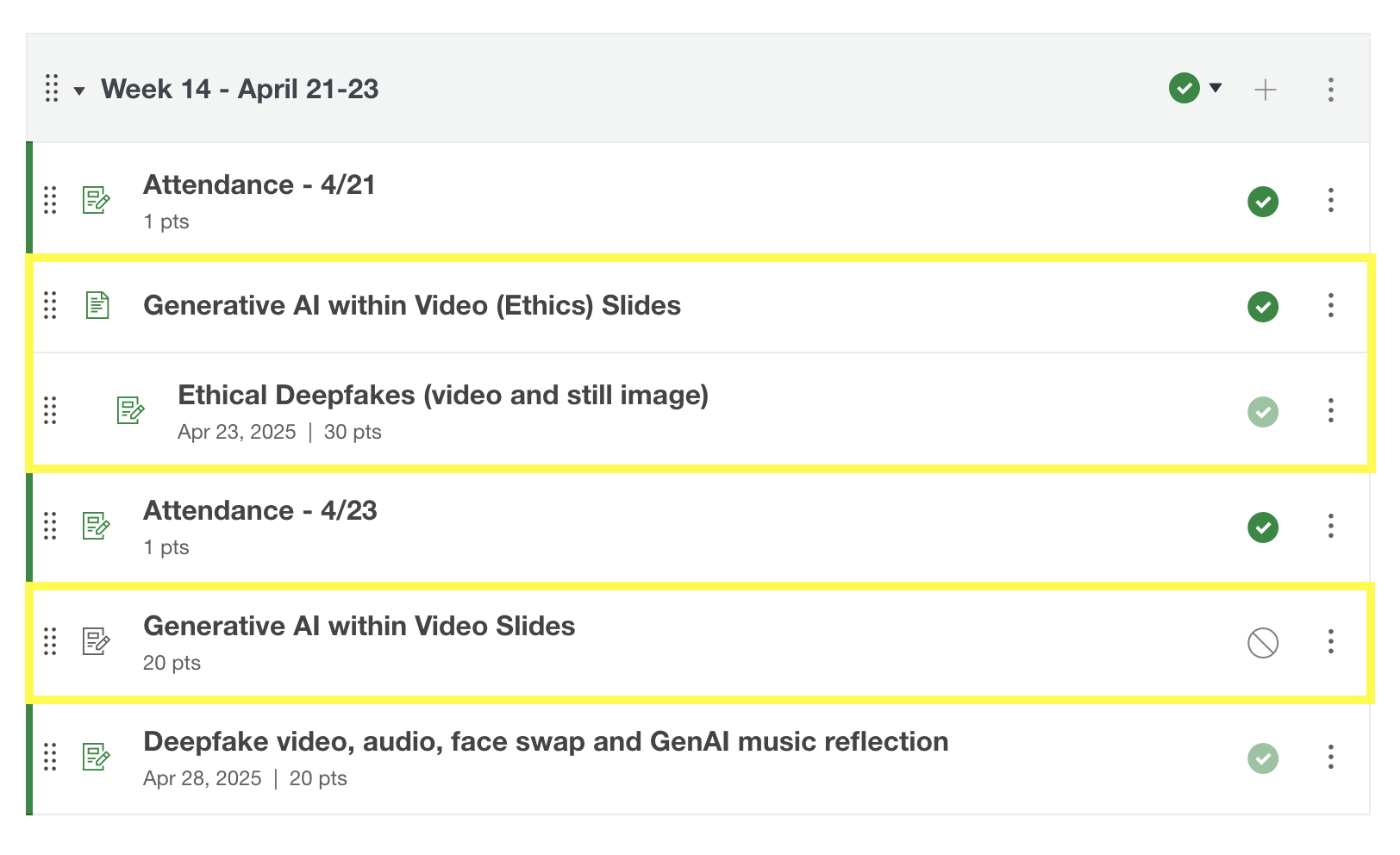
The modules functioned as independent building blocks, as each week provided one or two specific GenAI subjects based on education, industry, ethics or accessibility. The modules could be moved around and not disrupt the flow of the course. Image generation was used in the first module in all four iterations. Sound was used in the seventh and eighth module with an optional add-on assignment for pilot 1, but was used in the eleventh module with an optional add-on assignment for pilot 2. Sound was used as the third module for both the global courses. Video generation was used in the sixth and seventh module in pilot 1, but used in the fourteenth module in pilot 2. Video generation was used second in both global courses.
The different module arrangements for video generation in pilot 1 and pilot 2 are highlighted in yellow below in Figures 1, 2, and 3. These modules are located in Canvas for the students to access the course curriculum. As you can see from Figures 1 and 2, video generation was towards the beginning of the curriculum in pilot 1, and in Figure 3, video generation was organized towards the end of the course in pilot 2. During pilot 1, I felt that I needed to keep image generation and video generation close to each other in the module organization and curriculum design. For pilot 2, I felt that I needed to cover new tools and resources that I found to be more beneficially aligned with the student demographic and technological advancements before introducing the video generation module.
Figure 1. Highlighting Video Generation location in Module 6 for Pilot 1.
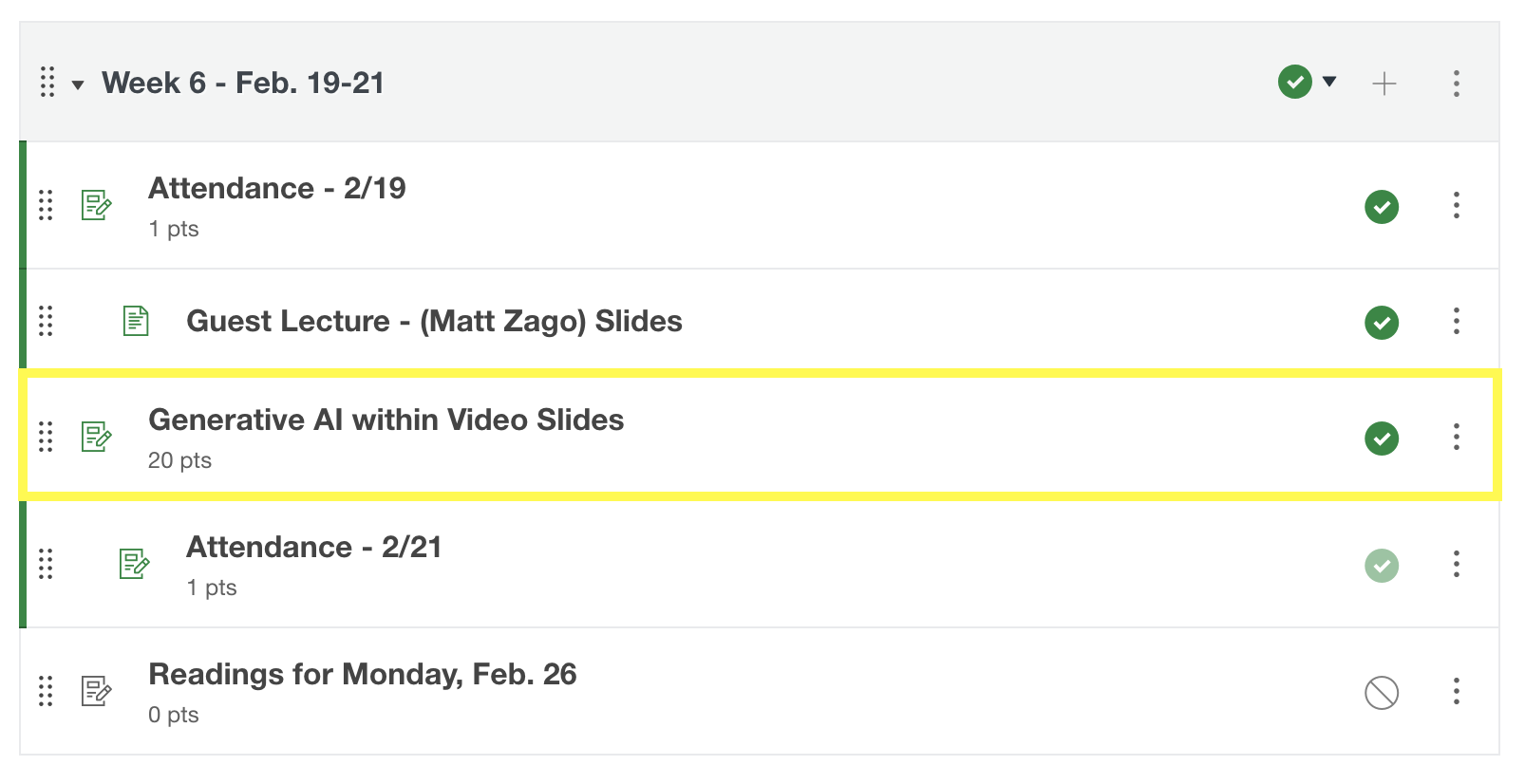
Figure 2. Highlighting Video Generation location in Module 7 for Pilot 1.
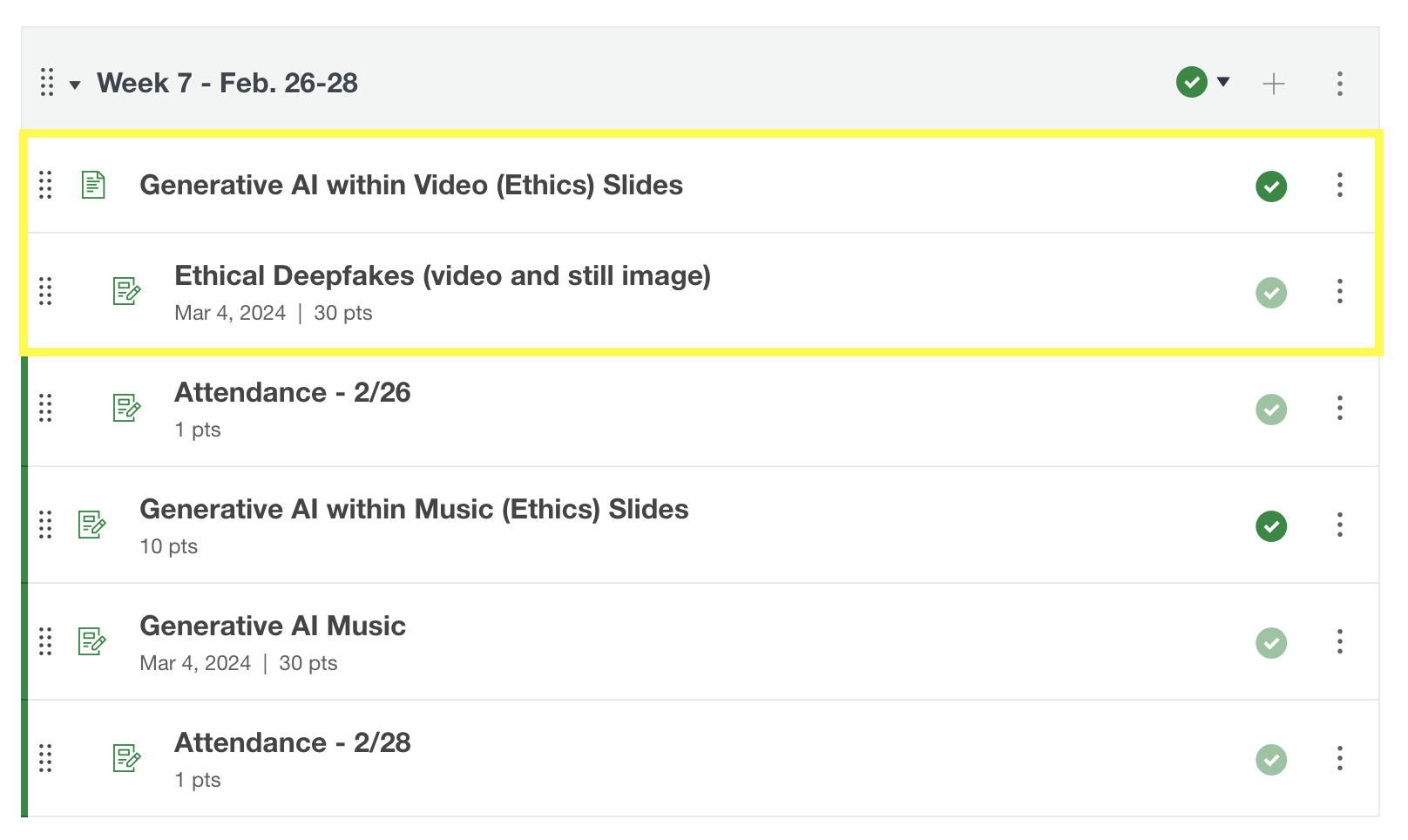
Figure 3. Highlighting Video Generation location in Module 14 for Pilot 2.
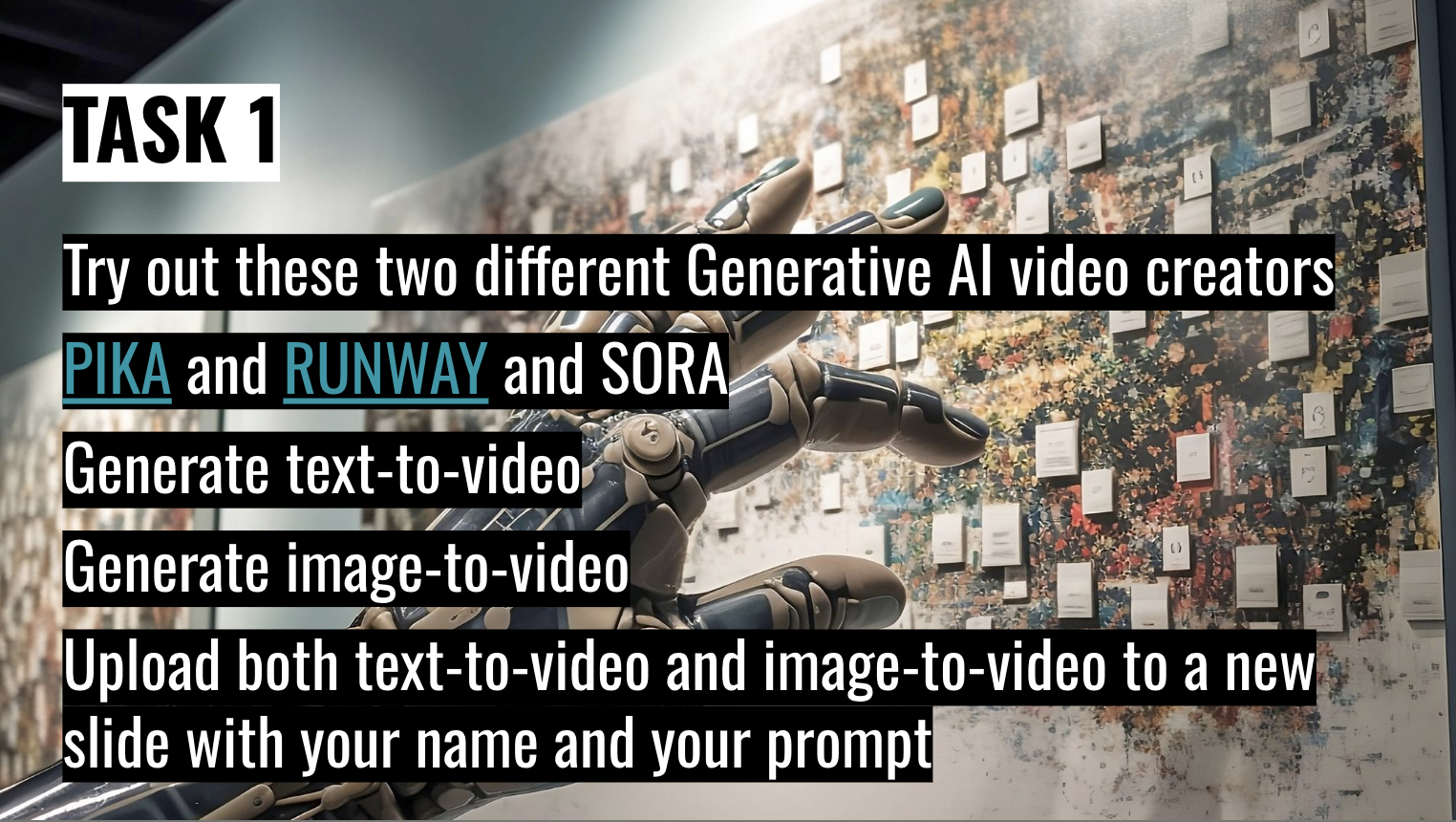
In the next several examples, you will see the different image generation revisions in the slide decks for the pilot and global courses. Due to new and emerging GenAI tools, pricing and accessibility, these tools were changed within the years of 2024–2025. In Figure 4, the video generation task slide did not change from pilot 1 in 2024 to pilot 2 in 2025.
Figure 4. Video generation task slide for Pilot 1 and Pilot 2.
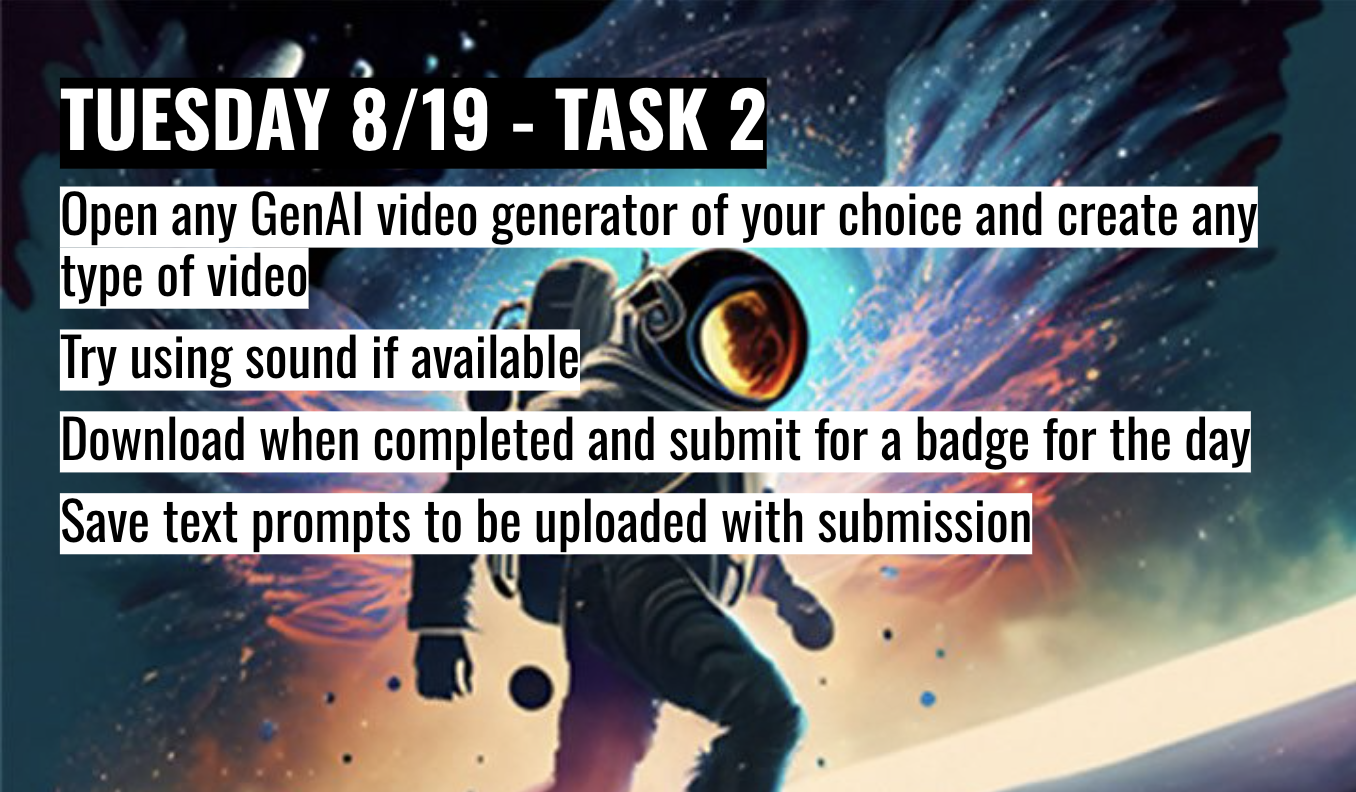
In Figures 5 and 6, the video generation slides did not change from global course 1 to global course 2, considering they were only three weeks apart. But, the slides and tools did change from pilot 1 and 2 to global 1 and 2.
Figure 5. GenAI video generation tools slide for Global 1 and Global 2.
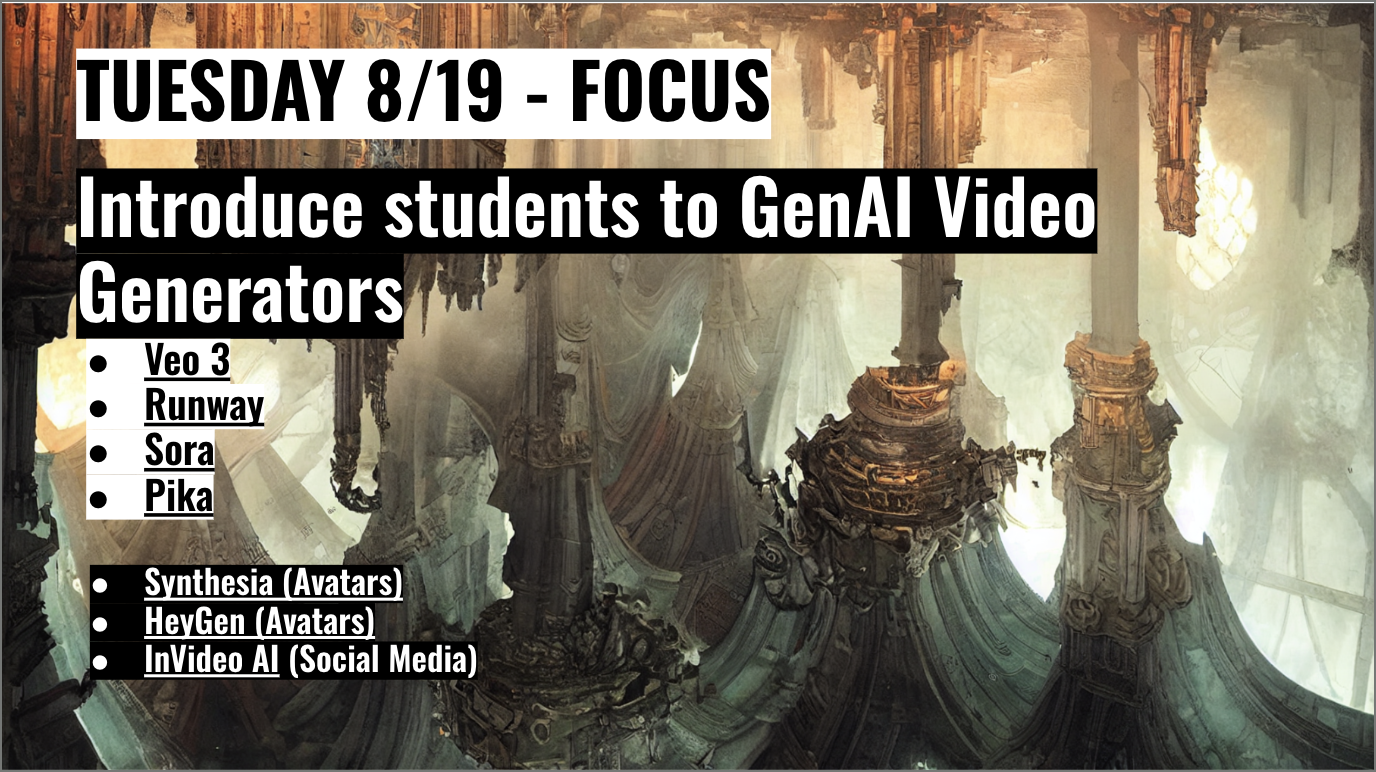
Figure 6. Video generation task slide for Global 1 and Global 2.
Thematic coding of my slide deck and module revisions showed repeated reasons for change, such as resolving student confusion, tool accessibility issues, and incorporating new GenAI tools. It also revealed consistent patterns in how modules were updated over time, including simplifying instructions, adding or revising demonstration materials, and swapping specific GenAI tools while keeping core learning objectives consistent. These recurring reasons and update patterns created a set of practical principles and practices that directly informed my response to RQ1.
3.2.2 Learner Choice and Multiple Entry Points
Learner choice allowed participants to be in control of how they engaged with the course material. I offered short videos, written guides, live demonstrations and hands-on assignments in every module, letting students select the format or tool that best fits learning style, whether they come from visual design, mechanical engineering, or any other field. This teaching approach not only respects diverse learning styles but also encourages peer teaching, as learners compare insights from different solutions.
Students were given the choice to submit any type of assignment format, such as a link, video, screen recording, or audio file, which allowed students to learn and feel comfortable turning in assignments that aligned with their learning style.
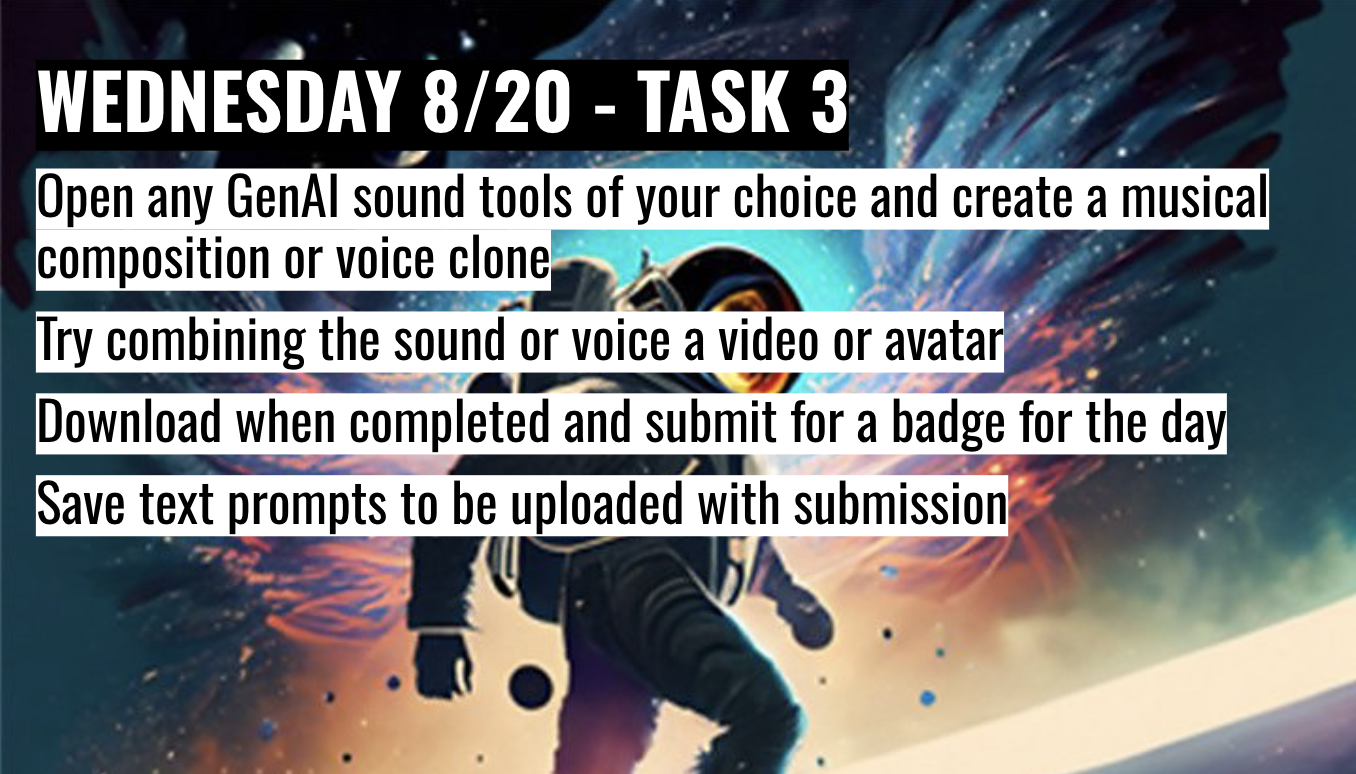
For the sound and music assignment, students had the choice to choose whatever music or audio tools they preferred to use. I provided a hands-on workshop and live demonstration of the GenAI tools Soundful, Suno, Udio, Cartesia, HeyGen, and Eleven Labs. For the pilot courses, the students had to create their own GenAI music composition using Soundful, Suno, or any other music application of their choice. An article was also linked in the assignment for them to read and try out new GenAI tools. In Figure 7, pilot 1 only provided one GenAI music tool suggestion, Soundful. In Figure 8, pilot 2 provided two GenAI music tool suggestions. In the global courses, shown in Figures 9 and 10, the students had the choice to create a musical composition or a voice clone, along with many more options and suggestions for GenAI sound and audio tools in comparison to pilot 1 and pilot 2.
Figure 7. GenAI Music assignment from Pilot 1.
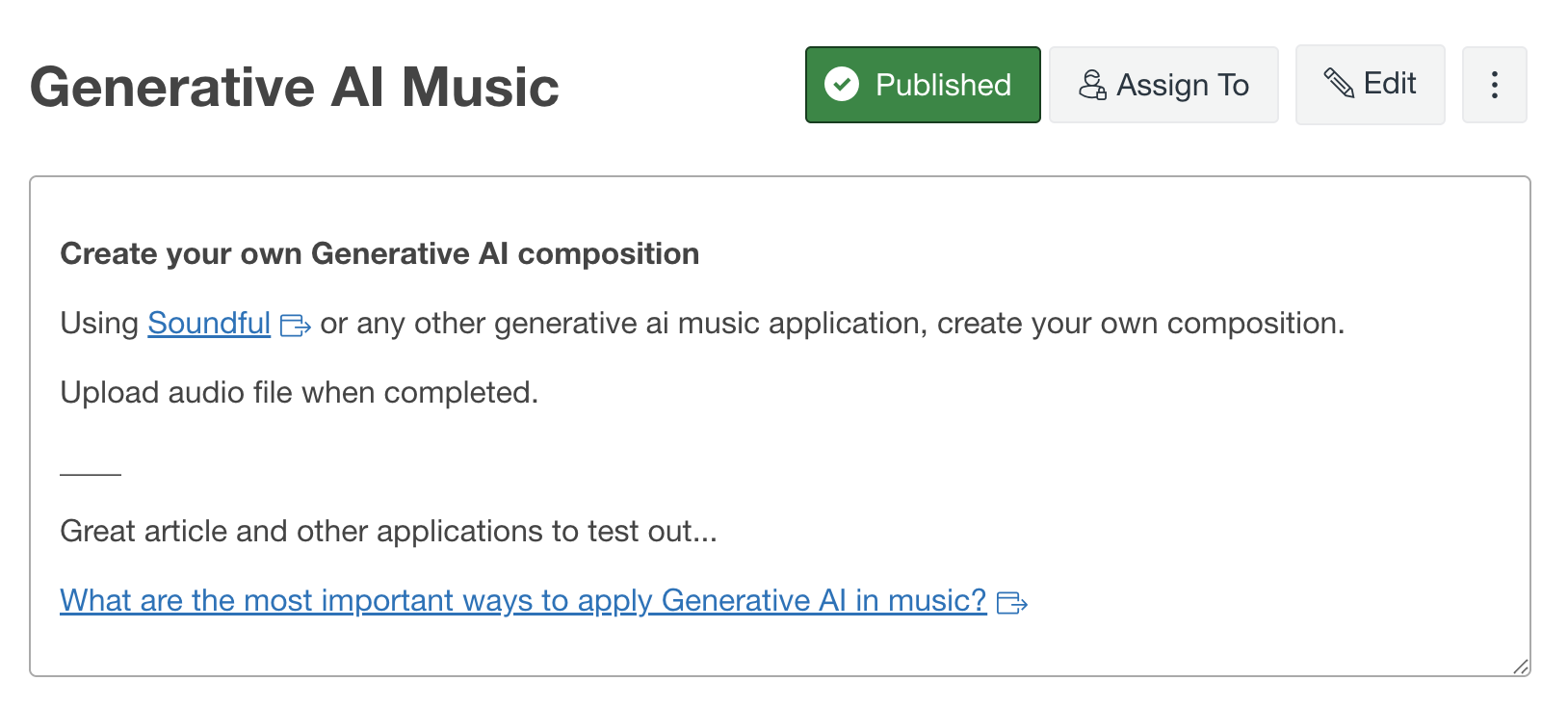
Figure 8. GenAI Music assignment from Pilot 2.
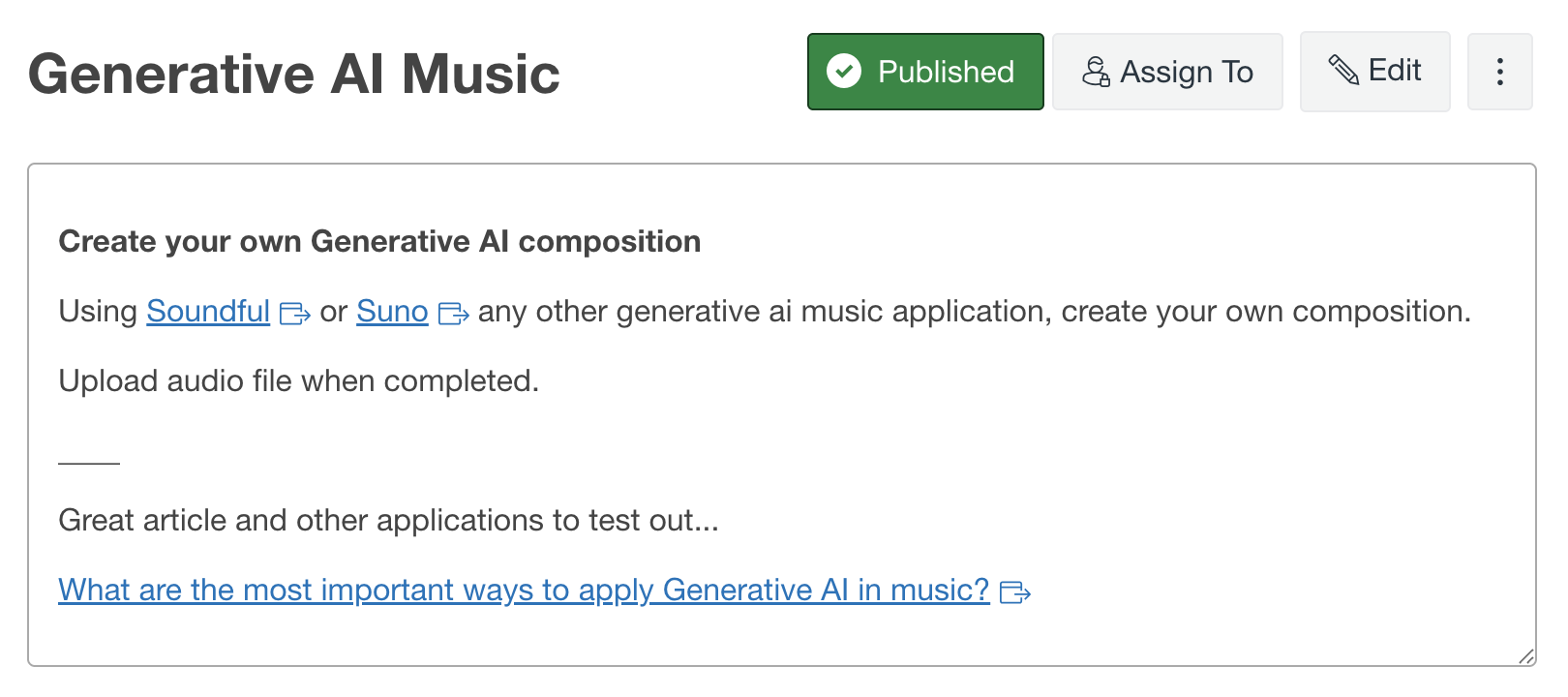
Figure 9. GenAI sound tools from Global 1 and Global 2.
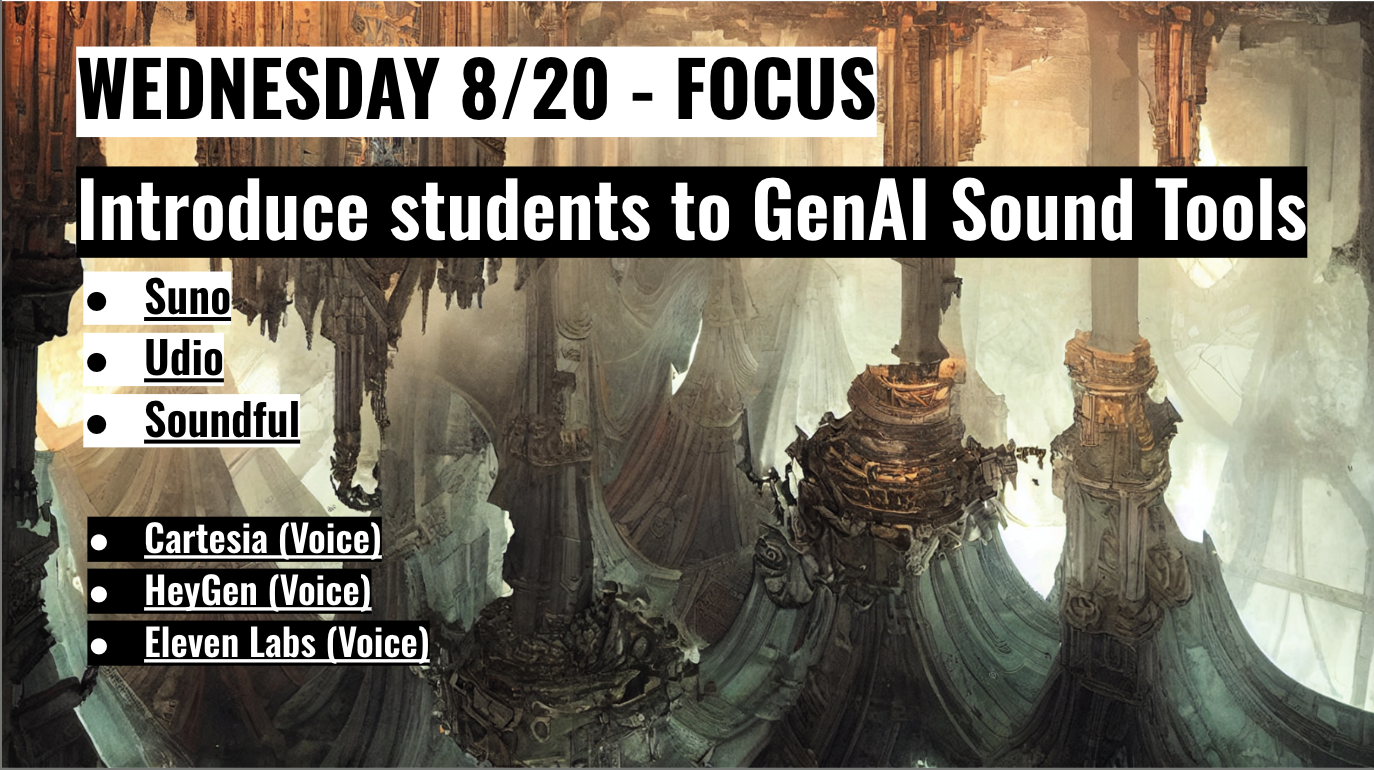
Figure 10. GenAI Music task from Global 1 and Global 2.
An end-of-course evaluation response from pilot 2 noted: "The AI Music lecture was really interesting, I enjoyed seeing and using the different generation options" — feedback that supported keeping the multi-tool walkthrough format in the next iteration.
3.2.3 Continuous Feedback and Living Curriculum
Continuous feedback helped drive learner experience. After each pilot or global iteration, I collected survey responses, and reviewed project submissions to identify main points. Those insights assisted me with weekly updates to assignment instructions, example projects, creating a living curriculum that adapts alongside GenAI technological developments which adjusts for new participants.
I collected surveys and written reflections after tasks and assignments in the pilot and global courses. For the global courses, the students had to turn in a survey each day with their assignment attached. From these surveys, I was able to collect data on comprehension of the lesson taught, suggestions, and technological challenges.
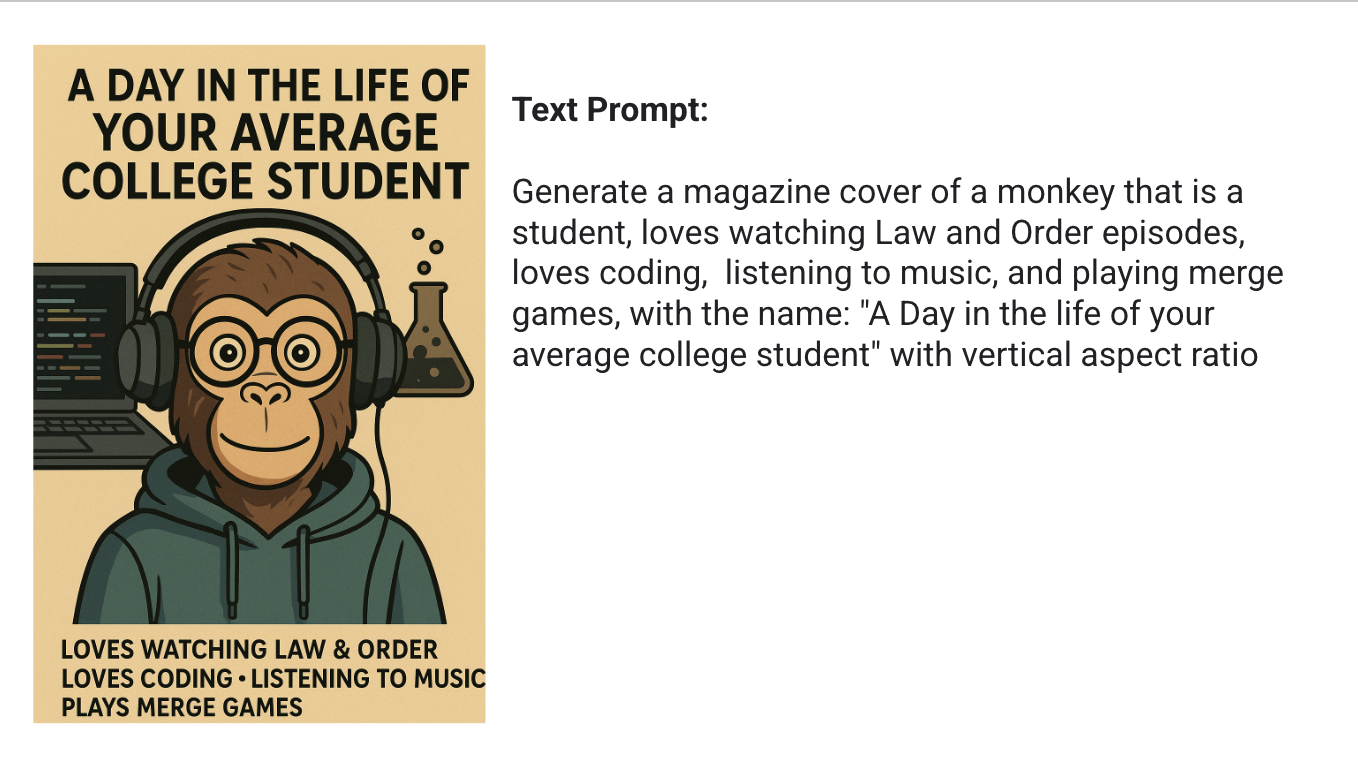
One pattern in the course evaluation feedback for the image generation global 1 module flagged the absence of worked-example prompts for the introductory magazine-cover assignment. The next-iteration slide deck added a worked-example block: sample prompts paired with the resulting magazine-cover images, included with the contributing student's consent for educational use. In Figure 11, the task in the slide deck for the first global course for image generation is shown below. Two of the worked-example slides added in response to the feedback are shown in Figures 12 and 13.
Figure 11. Image generation task from Global 1 and Global 2.
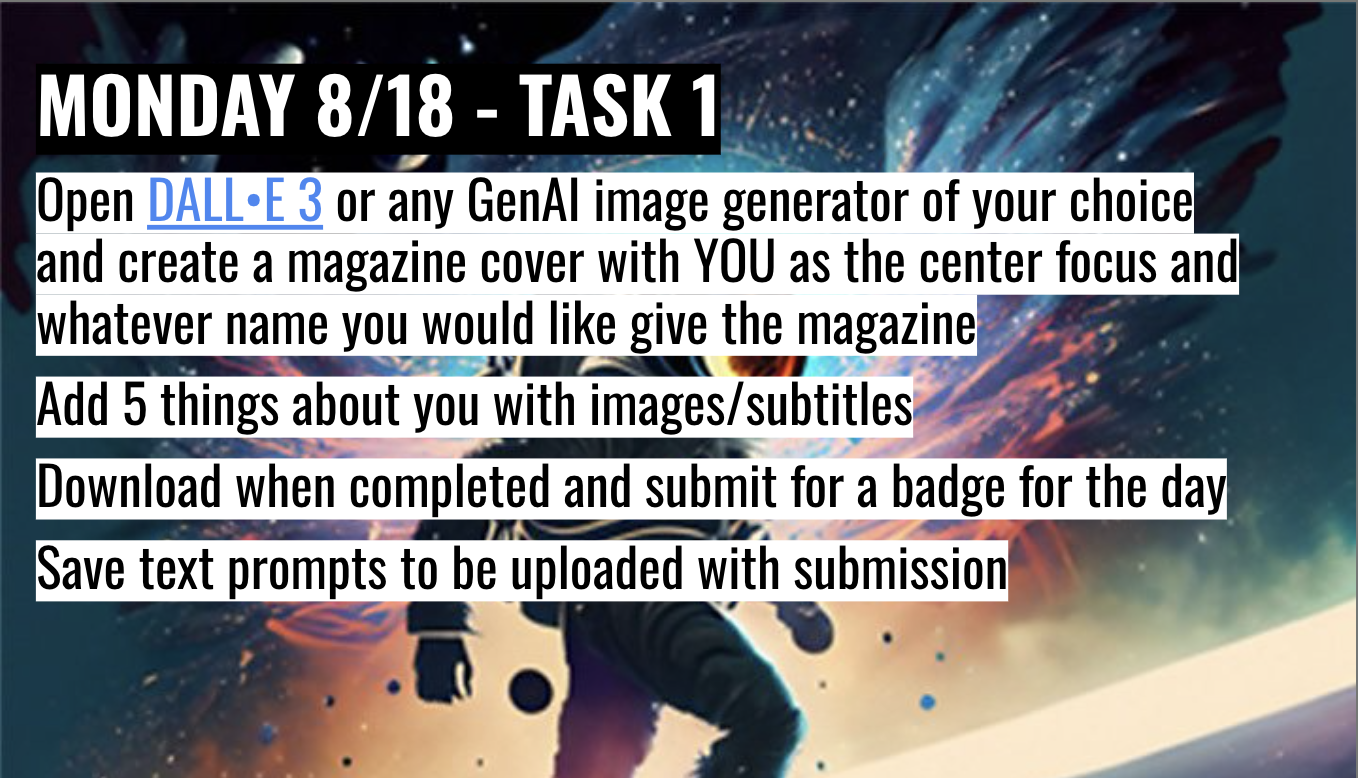
Figure 12. Example of the image generation task (Magazine Cover) from Global 1 and Global 2.
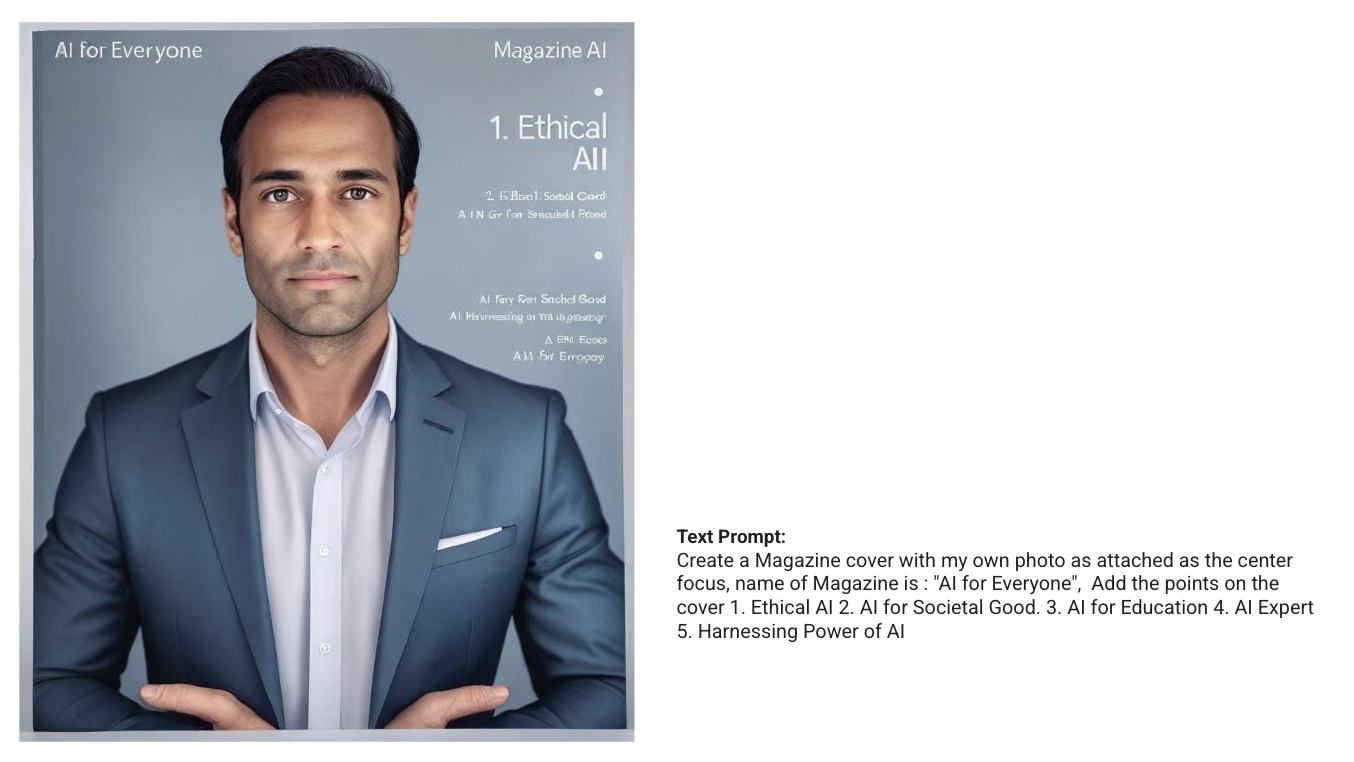
Figure 13. Example of the image generation task (Magazine Cover) from Global 1 and Global 2.
Across all four iterations, the course operated as a living curriculum that I adjusted continuously in response to learners' needs and new GenAI tools, rather than something revised only between semesters.